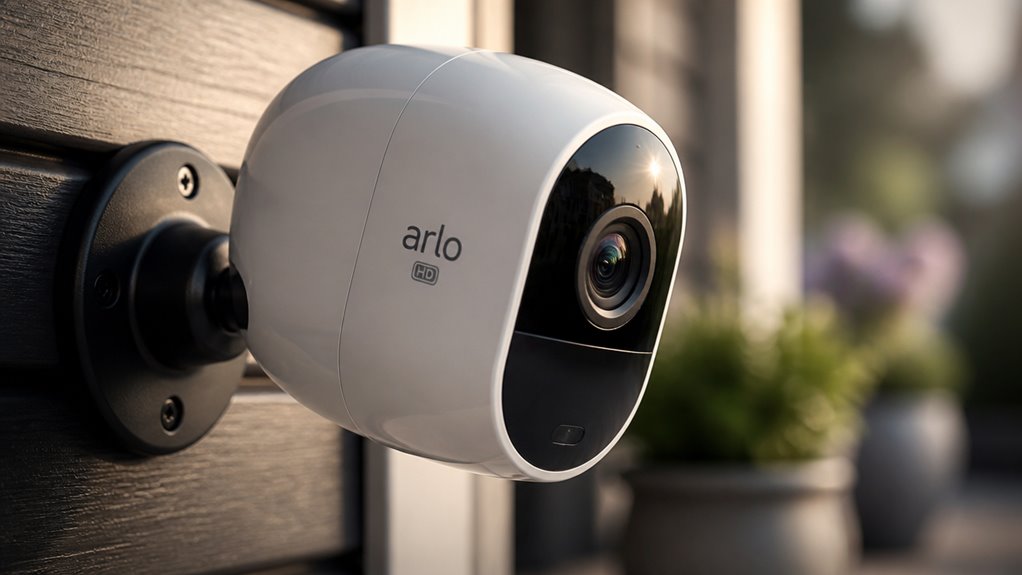

You’ll get crisp HD to 4K Ultra HD video clarity with Arlo cameras, including models like the Ultra 2 offering sharp 4K resolution and AI-driven detections.
Their smart detection, powered by AI and enhanced with a subscription, identifies people, vehicles, and packages accurately.
Battery life lasts up to a year, while flexible storage options include encrypted cloud and local USB.
Easy setup guarantees stable Wi-Fi connectivity and secure access.
Keep exploring for deeper insights on installation and features.
Key Takeaways
- Arlo HD cameras support resolutions from 1080p HD up to 4K Ultra HD for clear and detailed surveillance footage.
- AI-powered detection identifies people, vehicles, animals, and packages with over 90% accuracy, requiring an Arlo Secure subscription for full features.
- Subscription plans start at $7.99/month, offering encrypted cloud storage and advanced AI features; local storage options are available without ongoing fees.
- Battery life can last up to one year, with wired and solar power options for continuous operation in various environments.
- Setup involves simple pairing via the Arlo app, requiring a stable 2.4GHz Wi-Fi connection for reliable remote access and secure device management.
Why Choose Arlo Cameras for Home Security?
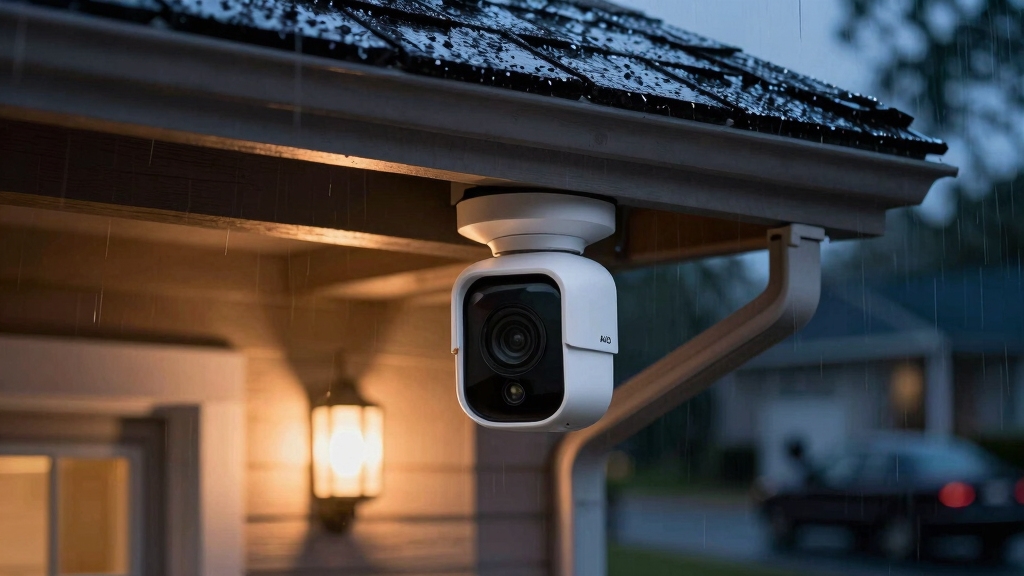
While many security cameras offer basic surveillance features, Arlo cameras stand out by combining exceptional video quality with advanced AI-driven detection capabilities. This makes them a smart choice for home security.
You’ll benefit from highly accurate motion detection that distinguishes people, animals, vehicles, and packages, reducing false alarms. The customizable smart motion zones let you focus monitoring on critical areas.
Additionally, Arlo’s integration of audio and fire detection adds layers of safety beyond visual monitoring. Although these intelligent features require a subscription, their performance justifies the cost by enhancing threat identification and response.
You’ll also appreciate the flexibility of wireless setups and long battery life options, which simplify installation and maintenance. These factors together create a reliable, all-encompassing security solution tailored to your home’s needs.
The camera’s dual-band Wi‑Fi connectivity ensures stable performance and smooth streaming even in environments with heavy wireless interference.
What Video Quality and Resolution Do Arlo Cameras Offer?
Building on Arlo’s smart detection capabilities, the cameras deliver impressive video quality that supports a wide range of resolutions from 1080p HD up to 4K Ultra HD.
You’ll find that the Arlo Ultra 2 stands out with its crisp 4K picture quality, often recognized as the best in the 4K Ultra HD category.
The Pro 4 model also offers up to 4K resolution combined with AI-driven detections, enabling detailed identification of persons and objects.
This high-definition clarity guarantees you won’t miss critical details in surveillance footage.
Reolink cameras, by comparison, provide sharp 2K to 4K resolution with a wide 120° field of view, delivering strong color and contrast in well-lit conditions for reliable monitoring and high-detail imaging.
How Do Arlo’s Smart Detection Features and Subscription Plans Work?
Arlo’s AI-powered detection features are pretty impressive! They can identify people, vehicles, animals, and packages with over 90% accuracy. This really takes your security monitoring to the next level.
Now, to tap into these advanced tools, you’ll need an Arlo Secure subscription. This subscription also lets you create customizable smart motion zones, which means you can get alerts that are tailored just for you.
Arlo’s cameras also use edge computing to process data on-device, reducing latency and minimizing data loss during outages.
AI-Powered Detection Features
Because Arlo’s smart detection features rely heavily on advanced AI algorithms, accessing their full capabilities requires subscribing to the Arlo Secure plan.
Once subscribed, you benefit from AI-powered person, vehicle, animal, and package detection, which markedly reduces false alerts.
The system’s facial recognition and customizable motion zones further enhance accuracy by distinguishing specific subjects and activity areas.
During tests, Arlo’s person-triggered motion events exceeded a 90% catch rate, demonstrating reliable performance.
Additionally, the platform integrates advanced audio and fire detection, broadening its security scope.
Without the subscription, you can’t leverage these intelligent analytics, limiting detection to basic motion alerts.
This AI-driven approach delivers a more efficient, precise monitoring experience, essential for proactive security management where discerning relevant events quickly matters most.
Each Arlo device is identified securely through a unique UID system, ensuring safe and reliable remote access and management.
Subscription Plan Benefits
Although Arlo cameras come equipped with basic motion detection, enabling their full smart detection capabilities requires subscribing to the Arlo Secure plan. This subscription releases AI-powered features such as facial recognition, vehicle and package detection, and advanced audio alerts.
These enhancements greatly improve security accuracy. Without the subscription, you miss out on these intelligent insights and event filtering.
Proper storage and regular maintenance are essential to ensure your security devices remain reliable and effective, similar to the upkeep required for fire extinguisher readiness.
Here’s a clear comparison of subscription options:
| Subscription Type | Monthly Cost |
|---|---|
| One Camera | $7.99 |
| Unlimited Cameras | $17.99 |
| Advanced Features Access | Included in all plans |
Customizable Smart Motion Zones
How can you tailor Arlo’s motion detection to focus precisely on the areas that matter most?
Arlo’s customizable smart motion zones let you define specific regions within the camera’s field of view. This reduces false alerts and enhances relevant event detection.
This feature requires an Arlo Secure subscription, unlocking the AI-powered intelligence suite. You can adjust zones to prioritize motion from people, vehicles, or packages, ensuring your alerts are meaningful.
Key aspects include:
- Defining multiple motion zones for targeted monitoring
- Prioritizing detection types like person, vehicle, or package
- Minimizing false alarms from irrelevant movements
- Accessing these features through the Arlo Secure subscription
This customization improves security efficiency, but it hinges on maintaining an active cloud subscription for full functionality. Additionally, AI algorithms analyze motion patterns and classify objects to minimize false alarms and confirm genuine activity before alerting, further enhancing detection accuracy within your custom detection zones.
How Long Does Arlo Camera Battery Life Last?
Typically, Arlo cameras offer impressive battery life that can last up to one year on a single charge, depending on the model and usage patterns.
Arlo cameras typically provide impressive battery life, lasting up to one year on a single charge depending on usage.
For instance, the Arlo Pro 4 balances extended battery longevity with Wi-Fi connectivity, making it suitable for varied environments.
Battery duration hinges on factors like motion detection frequency, video resolution settings, and environmental conditions.
If your camera records frequently or streams in higher resolutions such as 4K, expect faster battery drain.
Arlo also provides wired power options if uninterrupted operation is critical.
Before installation, you should fully charge the battery to optimize performance.
Pairing rechargeable batteries with solar panels can further extend operation time in remote or off-grid locations, ensuring continuous power supply.
How to Connect Your Arlo Camera and Manage Storage Options?
To connect your Arlo camera, start by pressing the pairing button for about three seconds. You’ll know it’s working when the blue light starts flashing. After that, just follow the app’s step-by-step process to add your device. It’s pretty straightforward!
Once your camera is connected, you’ll want to think about your storage options. You can go for local storage or cloud storage. Each of these has its own perks when it comes to accessing your videos and ensuring security. Be sure to keep your camera’s firmware updated regularly to maintain network security and performance.
Camera Pairing Steps
Begin by pressing and holding the pairing button on your Arlo camera for three seconds until the blue light flashes, signaling it’s ready to connect.
Next, open the Arlo app and follow the prompts to add a new device. Select your camera model, then connect it to your home Wi-Fi network to enable remote access.
The app will confirm once the camera is successfully paired.
Keep these key steps in mind:
Press and hold the pairing button until the blue light flashes. Use the Arlo app to select and add your camera model. Connect the camera to your Wi-Fi network for wireless operation. Confirm the pairing within the app before proceeding.
This process guarantees a reliable connection and sets the foundation for managing your camera’s storage options effectively.
For optimal connectivity, ensure your camera is connected to a stable 2.4GHz Wi‑Fi network to improve range and penetration.
Storage Options Explained
Once your Arlo camera is paired and connected to your Wi-Fi network, managing your storage options becomes the next step to guarantee seamless recording and access.
You can choose between cloud storage provided through Arlo Secure subscriptions and local storage to reduce reliance on the cloud.
The cloud option offers encrypted backups with AI-driven features but requires a monthly fee starting at $7.99.
Local storage, available on select models, uses USB drives connected to the base station, allowing you to retain footage without ongoing costs.
To configure storage, navigate the Arlo app’s settings, select your preferred option, and verify sufficient space is available.
Balancing convenience, cost, and security, your choice affects how efficiently you access and review recorded video.
Note that cloud storage requires a reliable internet connection for off-site backup, whereas local storage provides privacy and uninterrupted recording without WiFi dependence.
What to Expect During Arlo Camera Installation and Setup?
Although the installation process may seem intricate at first, Arlo cameras are designed for straightforward setup that you can complete with minimal tools.
You’ll start by mounting the base plate, ensuring the arrow points upward for proper alignment. Next, secure the camera onto the base plate by tightening the screws firmly.
Initiate the pairing by pressing the camera’s button for three seconds until the blue light flashes. Then follow prompts in the Arlo app to select your camera model.
Finally, adjust the camera angle and save automation settings for optimal coverage.
Key steps include:
- Mounting base plate with correct orientation
- Securing camera firmly to base
- Pairing through app with blue light indicator
- Adjusting camera angle and saving settings
This process balances simplicity with precision for reliable operation.
Frequently Asked Questions
Can Arlo Cameras Integrate With Other Smart Home Systems?
Yes, you can integrate Arlo cameras with popular smart home systems like Amazon Alexa, Google Assistant, and Apple HomeKit.
This lets you control cameras using voice commands and view live feeds on compatible devices.
The integration enhances your smart home ecosystem, allowing for seamless automation and monitoring.
However, some advanced features might require an Arlo Secure subscription to release full functionality within these platforms.
Are Arlo Cameras Weatherproof for Outdoor Use?
Yes, you’ll find many Arlo cameras are weatherproof, designed specifically for outdoor use. They come with durable, weather-resistant housings that protect against rain, snow, dust, and extreme temperatures.
This robustness guarantees consistent performance regardless of weather conditions. However, you should check individual model specifications to confirm IP ratings and suitability for your environment.
Proper installation also helps maintain their weatherproof integrity for reliable year-round security monitoring.
What Warranty Coverage Do Arlo Cameras Include?
Imagine unwrapping your new camera, confident it’s protected.
Arlo cameras come with a standard one-year limited warranty covering defects in materials and workmanship. This means if your device malfunctions or fails due to manufacturing issues within that year, you’re covered for repair or replacement.
However, accidental damage like drops or water intrusion isn’t included.
Knowing this, you can plan for reliable support but should handle your camera carefully to avoid voiding coverage.
How Secure Is the Data Transmitted by Arlo Cameras?
You can trust Arlo cameras to keep your data secure during transmission. They use advanced encryption protocols like AES 256-bit encryption, ensuring that video streams and personal information stay protected from unauthorized access.
Additionally, Arlo employs secure cloud storage with strict access controls. However, maintaining strong passwords and enabling two-factor authentication on your account is critical to maximizing your data security and preventing potential breaches effectively.
Can Arlo Cameras Record Audio Along With Video?
Yes, Arlo cameras can record audio alongside video.
They include advanced audio detection capabilities, enabling you to capture sound events in addition to visuals.
This audio feature enhances security by providing context to motion alerts and detecting unusual noises such as alarms or glass breaking.
Keep in mind, though, that audio recording quality and availability may vary by model.
Local laws regarding audio surveillance should also be considered before use.
Final Verdict in This Arlo HD Security Camera Review
You might wonder if Arlo cameras truly deliver top-tier home security or if they’re just another tech fad.
After analyzing video quality, smart detection, battery life, and installation ease, it’s clear Arlo offers a reliable, user-friendly system.
Their subscription plans add valuable features without locking you in.
So, if you want a balanced mix of performance and convenience, Arlo cameras are worth considering for your home security needs.