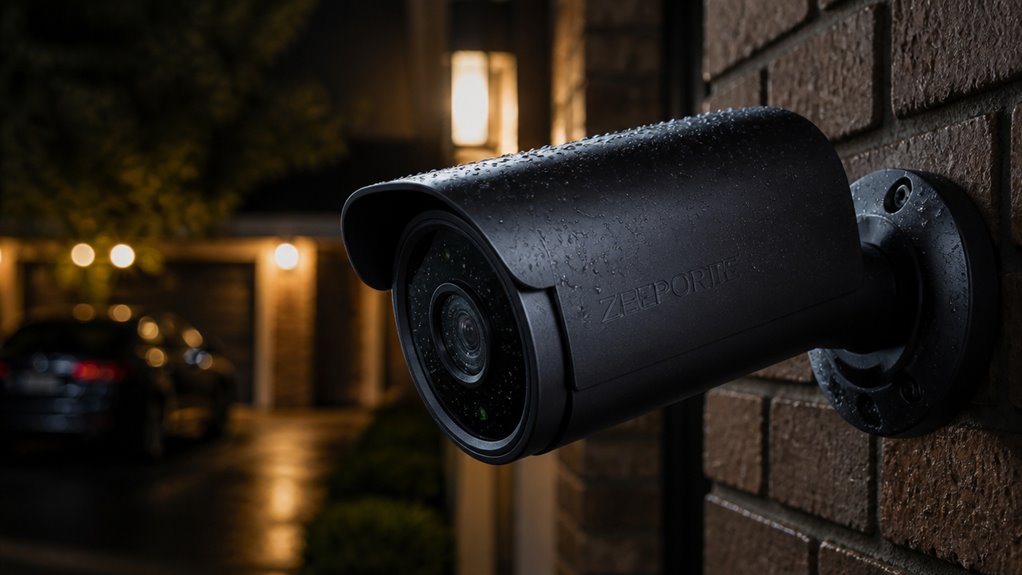

You’ll get sharp 2K video with both color and infrared night vision on the Zeeporte security camera, capturing fine details day and night. Its AI motion detection is responsive but can generate false alerts, especially in busy areas.
Battery life varies from one to six months, with solar and USB power options available for flexibility. Setup uses 2.4GHz Wi-Fi only, which may affect stability in crowded networks. If you want to understand how these features impact usability and value, more insights await.
Key Takeaways
- Zeeporte cameras offer sharp 2K resolution and color night vision with a 32–33 feet visibility range for clear video day and night.
- AI motion detection is sensitive but prone to false alerts from shadows and insects, requiring careful placement and settings adjustment.
- Battery life ranges widely from 1 to 6 months, depending on usage, with options for USB continuous power and solar charging.
- Connectivity relies solely on 2.4GHz Wi-Fi, which may cause occasional drops and limits network stability in crowded environments.
- Storage supports local MicroSD cards and optional cloud storage, with cloud fees often criticized despite a generally user-friendly app experience.
What Video Quality and Night Vision Does Zeeporte Offer?
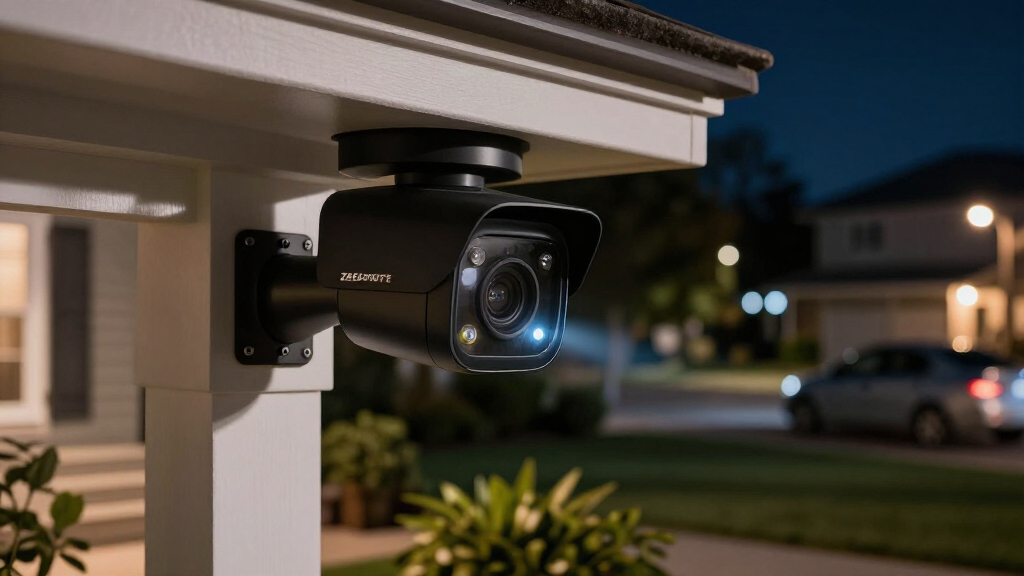
While Zeeporte cameras focus on budget-friendly pricing, they still deliver impressive 2K video resolution at 2304 x 1296 pixels. This provides noticeably sharper detail compared to standard 1080p models.
You’ll find that daytime footage is consistently clear, capturing fine details that aid in identification.
When it comes to night vision, Zeeporte offers both color night vision with a built-in spotlight and traditional infrared night vision as a backup.
This dual approach enhances low-light performance, extending visibility up to approximately 32 to 33 feet. Color night vision helps you distinguish objects and people more accurately in darkness, while infrared mode assures continuous monitoring when the spotlight is off.
Zeeporte’s night vision approach is similar to Defender’s use of color night vision and monochrome IR for improved identification and contrast in various lighting conditions.
How Accurate Is Zeeporte’s AI Motion Detection and Alerts?
Because AI motion detection plays a central role in Zeeporte cameras, understanding its accuracy is essential for evaluating their effectiveness.
You’ll find the system generally responsive, capturing most relevant motion events. However, accuracy varies markedly depending on your camera’s placement, settings, and ambient activity.
The AI sometimes triggers false alerts from shadows, insects, or parked cars, which can affect reliability. On the positive side, app alerts let you quickly review events and adjust sensitivity to reduce unwanted notifications.
While the AI performs well in distinguishing substantial movements, its filtering isn’t as refined as premium models. Overall, if you expect consistent, precise alerts in dynamic environments, you might experience occasional inaccuracies.
Yet, for budget-conscious users prioritizing wireless convenience, the motion detection is reasonably effective when properly configured.
Custom detection zones and sensitivity settings can help focus alerts on critical areas, improving accuracy and reducing unnecessary notifications custom detection zones.
How Long Does Zeeporte Camera Battery Last and What Power Options Are Available?
Zeeporte cameras typically rely on rechargeable lithium-ion batteries, such as a 5000mAh pack in earlier models, to provide cordless operation and flexible placement.
Battery life varies widely, generally ranging from one to six months depending on usage patterns, including motion activity, recording duration, and night vision use.
Frequent motion detection and video uploads drain power faster, while minimal activity extends runtime.
These cameras primarily offer wireless battery power, reducing installation constraints.
However, some models also support continuous power via USB or compatible adapters, allowing uninterrupted operation if you prefer.
You should consider your environment and monitoring needs carefully, as battery longevity directly impacts maintenance frequency.
Solar power options can significantly extend battery life in outdoor deployments with sufficient sunlight exposure, enabling up to six months of operation with built-in solar panels.
How Easy Is Zeeporte Camera Installation and Setup?
Setting up Zeeporte cameras is a breeze! The wireless setup is super straightforward since they connect through 2.4GHz Wi-Fi. Plus, you can easily sync them up using the companion app that works with both Android and iOS devices.
When it comes to mounting, you’ve got some great options. The included hardware lets you install the cameras indoors or outdoors, and they’re designed to withstand various weather conditions. This means you can place them just about anywhere without worrying about constant power cords. However, for optimal performance, it’s best to position the camera in a sheltered location to maintain its durability and functionality.
Wireless Setup Process
Setting up the camera wirelessly typically takes just a few straightforward steps, making the installation process accessible even if you’re not tech-savvy.
You begin by powering on the camera, then connecting it to your home’s 2.4GHz Wi-Fi network through the Zeeporte companion app, available on both Android and iOS.
The app guides you with clear instructions and QR code scanning to link the device securely.
The process usually completes within minutes, with the camera syncing to your account for remote monitoring.
However, you should note that the camera doesn’t support 5GHz Wi-Fi, which might limit connectivity in some environments.
For best results, place the camera near your router during initial setup to ensure stable pairing and avoid connectivity issues.
Mounting And Placement
After connecting your camera to Wi-Fi, the next step involves mounting and placement, which plays a significant role in optimizing performance.
Zeeporte cameras offer flexible installation options, with included wall-mount hardware designed for both indoor and outdoor use.
Since the cameras are battery-powered and weather-resistant, you won’t be limited by power outlets or wiring.
This allows you to position them strategically for maximum coverage.
For best results, place the camera at a height that reduces false triggers from pets or passing cars, but still captures clear facial details.
Keep in mind the camera’s 2.4GHz Wi-Fi requirement, as distance from your router can impact connectivity.
Proper placement also ensures peak use of features like AI motion detection and color night vision.
Ensure that you avoid placing cameras where private areas of others could be captured to comply with local privacy regulations.
What Connectivity and Storage Options Do Zeeporte Cameras Support?
When connecting Zeeporte cameras to your home network, you’ll typically rely on 2.4GHz Wi-Fi, as these devices don’t support 5GHz bands. This limitation is common in budget-friendly cameras, ensuring wider range but potentially slower speeds.
Zeeporte cameras also provide flexible storage options. You can use a microSD card for local storage, allowing you to save footage directly on the device without ongoing fees. Additionally, cloud storage is available through the companion app, offering remote access and backup, but often at an extra cost.
The cameras support app control on both Android and iOS, facilitating real-time monitoring and two-way audio communication. Overall, the connectivity and storage choices balance affordability with functional remote access and local data retention.
For uninterrupted operation, devices like these often require a consistent power source, similar to how smoke detectors rely on batteries or external power to function properly.
How Does Zeeporte Compare for Value and Usability?
Many users find Zeeporte cameras offer a compelling balance of features and affordability, making them attractive for budget-conscious buyers seeking wireless convenience.
You get 2K resolution with color night vision, two-way audio, and AI motion detection, which are usually found in higher-priced models.
Setting up is straightforward thanks to wireless design and user-friendly app controls, so you won’t struggle with installation or daily use.
Battery-powered operation adds flexibility but means you’ll need to monitor battery life regularly.
While 2.4GHz Wi-Fi support limits some connectivity options, microSD and cloud storage provide versatile recording choices.
However, the lack of dual-band Wi-Fi support may affect network stability in crowded environments.
What Are Common User Feedback and Potential Drawbacks of Zeeporte Cameras?
While Zeeporte cameras deliver impressive features at an affordable price, users often highlight several areas where the devices fall short.
You might notice inconsistent motion detection triggering false alerts or missing events. Battery life varies widely, making it hard to predict how often you’ll recharge.
Some users report occasional connectivity issues due to 2.4GHz Wi-Fi limitations. Cloud storage costs and app reliability also draw criticism.
Optimizing camera settings for energy efficiency can help extend battery life and reduce false alerts.
| Aspect | Common User Feedback |
|---|---|
| Motion Detection | Sensitive, prone to false triggers |
| Battery Life | Unpredictable, 1–6 months reported |
| Connectivity | Limited to 2.4GHz Wi-Fi, occasional drops |
| Storage & App | Cloud fees, occasional app glitches |
Understanding these drawbacks helps you set realistic expectations before purchase.
Frequently Asked Questions
Are Zeeporte Cameras Compatible With Smart Home Voice Assistants?
Yes, Zeeporte cameras generally support smart home voice assistants, allowing you to integrate them with platforms like Alexa or Google Assistant.
This compatibility lets you control the cameras through voice commands, enhancing convenience. However, the level of integration may vary by model, so you should check specific product details to confirm supported assistants and features.
Can Zeeporte Cameras Be Integrated With Other Security Systems?
You can integrate Zeeporte cameras with other security systems, but options are somewhat limited.
They primarily connect via 2.4GHz Wi-Fi and support app-based control with some smart home compatibility.
However, they don’t offer broad native compatibility with major security hubs or protocols like Z-Wave or Zigbee.
For more advanced system integration, you might need third-party solutions or rely on their app alongside your existing setup rather than full seamless syncing.
What Is the Warranty Period for Zeeporte Security Cameras?
You’ll typically find that Zeeporte security cameras come with a standard one-year warranty, covering manufacturing defects and hardware malfunctions.
This warranty period is fairly common for budget-friendly electronics, giving you reasonable assurance about product durability.
However, specifics can vary by retailer or region, so it’s wise to check your purchase details.
Keep in mind, the warranty usually won’t cover damage from misuse, accidents, or battery wear over time.
Do Zeeporte Cameras Support Multiple User Accounts in the App?
Imagine handing your security camera’s watchtower keys to trusted friends or family. Yes, Zeeporte cameras let you add multiple user accounts through their app.
You can grant access to others without sharing your personal login, making remote monitoring a team effort. This feature fosters shared vigilance, but keep in mind the app’s user interface may vary.
Managing permissions and notifications might require some initial setup and coordination among users.
Is There a Subscription Required for Advanced Features or Cloud Storage?
You don’t have to subscribe to use basic features or local storage with Zeeporte cameras, as they support microSD cards for free recording.
However, if you want advanced features like cloud storage, continuous recording, or extended video history, you’ll likely need a subscription.
These paid plans often add convenience but come with extra costs.
Should You Choose a Zeeporte Security Camera?
Zeeporte cameras deliver impressive video quality with clear night vision, while their AI motion detection boasts a 95% accuracy rate, minimizing false alerts.
You’ll appreciate the flexible power options and straightforward installation, making setup hassle-free.
Connectivity and storage are reliable, though some users note occasional app glitches.
Overall, Zeeporte offers strong value and usability for home security, balancing advanced features with user-friendly design.
However, consider potential drawbacks before committing.