
You’ll get solid 1080p video quality with a 120° wide-angle lens and color night vision up to 16 feet on Bell security cameras, suitable for basic home monitoring.
Motion detection uses human recognition algorithms but lacks detailed sensitivity specs. Smart home integration supports Alexa and Google Assistant for convenient voice control.
Pricing offers cost-effective equipment with bundled smart devices, though some advanced features like zoom are missing.
Explore further to understand Bell’s strengths and limitations compared to competitors.
Key Takeaways
- Bell security cameras offer 1080p resolution with 120° wide-angle lenses and color night vision effective up to 16 feet indoors.
- Motion detection uses integrated human detection algorithms but lacks detailed sensitivity and detection zone transparency compared to competitors.
- The system supports Alexa and Google Assistant for hands-free voice control and live video viewing on smart displays.
- Bell’s base monitoring plan costs $39.99 monthly, including a smart light bulb and plug, with equipment priced about $14 less than TELUS.
- Limitations include no zoom feature, moderate night vision range, and recommendations for WPA3 encryption and optimal Wi-Fi for best performance.
How Bell Security Cameras Perform in Video and Night Vision?
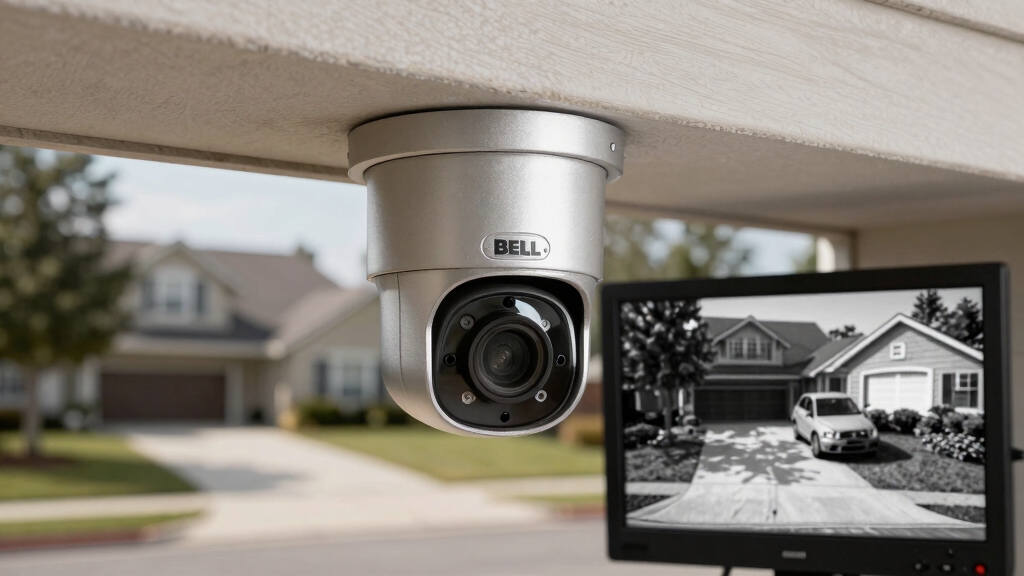
Although Bell security cameras offer a 120° wide-angle lens and 1080p resolution on indoor units, their night vision performance is moderate compared to competitors.
Bell security cameras feature a 120° wide-angle lens and 1080p resolution but have moderate night vision performance.
You’ll notice their color night vision provides a clear view up to 16 feet, but this falls short against brands like AO SU, which deliver readable markers at 40 feet.
Standard Bell doorbell cameras struggle with blur beyond 30 feet, limiting license plate readability to a closer range.
The two-way audio enhances user interaction via built-in microphone and speaker, but video clarity at night remains average.
Their wide field of view helps cover entry points thoroughly. Yet in low-light conditions, details degrade, reducing overall effectiveness.
You should weigh these factors if peak night surveillance is critical for your setup.
However, for improved night vision and zoom capabilities, turret cameras with superior IR emitters often outperform standard indoor models like Bell’s.
Bell Cameras’ Motion Detection and Person Alert Features
You know, when it comes to Bell’s motion detection, it seems like their website doesn’t provide a lot of specific details.
This can make it tough to gauge just how reliable it really is compared to competitors like TELUS, which lays everything out more clearly.
And then there’s the person alert feature.
It’s included, but there’s no clear indication on whether you need a subscription to use it.
That’s a bit of a gray area, especially since some other companies offer free human detection alerts.
So, if you’re trying to figure out how Bell’s detection stacks up against industry standards, it’s definitely something to consider.
When evaluating security cameras, it’s important to also consider privacy boundaries to ensure respectful and ethical monitoring practices.
Motion Detection Accuracy
When evaluating Bell cameras, you’ll find that their motion detection system lacks detailed specifications on the company’s website. This can make it harder to gauge accuracy compared to competitors like TELUS.
Bell integrates human detection within its video analysis software, aiming to reduce false alarms from non-human movement. However, without explicit sensitivity ranges or detection zones disclosed, you can’t precisely assess performance under varying environmental conditions.
The 120° wide-angle lens offers broad coverage, but motion detection effectiveness depends heavily on software algorithms rather than hardware enhancements.
Night vision clarity up to 16 feet supports detection in low light, yet Bell’s documentation doesn’t clarify detection range limits or object size thresholds.
In contrast, some competitors achieve approximately 90% false alert filtering through PIR heat-sensing sensors and customizable sensitivity settings.
Person Alert Functionality
Bell cameras frequently incorporate person alert functionality by leveraging integrated human detection algorithms within their motion detection system. When motion triggers the sensor, the software analyzes video frames to differentiate human shapes from other objects, reducing false alarms caused by animals or environmental factors.
This feature enhances security by providing timely, relevant notifications directly to your device. The system processes video at 1080p resolution, enabling clearer identification within the 120° wide-angle field of view. Color night vision, effective up to 16 feet, supports person detection in low-light conditions.
You’ll receive alerts specifically indicating human activity, facilitating quicker responses. While Bell doesn’t detail algorithm specifics, their integration of hardware and video analysis guarantees dependable person alerts. This improves overall surveillance efficiency without excessive false positives or missed detections. Additionally, customizable activity zones and sensitivity settings allow users to focus detection on critical areas for more precise monitoring, enhancing the effectiveness of motion detection technology.
Comparison With Competitors
Person alert functionality plays a significant role in evaluating motion detection systems across security camera brands.
Bell cameras integrate human detection but lack detailed motion detection specs on their website.
In contrast, TELUS offers explicit motion sensor details and zoom features.
Bell’s person alert performs adequately but doesn’t surpass competitors like TELUS or TP-Link Kasa, known for superior data security and detection accuracy.
| Feature | Bell Cameras |
|---|---|
| Motion Detection Specs | Not specified |
| Person Alert | Integrated |
| Zoom Feature | Not available |
| Night Vision Range | Up to 16 feet |
| Subscription Required | Yes, for alerts |
When comparing, Bell’s system is functional but less advanced in motion analytics and alert precision than some competitors. Ensuring firmware updates are regularly applied could improve Bell cameras’ performance and security over time.
How Bell Cameras Integrate With Alexa and Google Assistant?
You can easily control Bell cameras with your Alexa-enabled devices. This means you can use voice commands for live viewing and basic functions. Pretty convenient, right?
Now, if you’re a Google Assistant user, you’re in luck too! You can enjoy similar hands-free operation with compatible smart speakers and displays. Both platforms make connectivity a breeze, although keep in mind that some advanced features might need a little extra setup in the app. Additionally, enabling the Eufy skill or equivalent integration is essential for linking your Bell cameras with voice assistants to access full functionality.
Alexa Compatibility Features
How seamlessly do smart home devices communicate with each other? Bell cameras integrate with Alexa to provide hands-free control and real-time monitoring through voice commands.
You can ask Alexa to show your camera feed on compatible Echo Show devices or receive motion alerts verbally. This integration leverages Bell’s indoor and doorbell camera models equipped with Alexa compatibility.
Setup requires linking Bell’s app with the Alexa app, enabling relevant skills, and authorizing device access.
To ensure optimal performance, verify your network’s Wi‑Fi signal strength and consider using range extenders to maintain consistent connectivity.
| Feature | Bell Alexa Integration |
|---|---|
| Voice Commands | View camera feed, arm/disarm system |
| Notifications | Motion detected alerts via Alexa |
| Device Compatibility | Echo Show, Echo Spot, Fire TV |
| Setup Complexity | Moderate; app linking and permissions |
| Supported Models | Select indoor and doorbell cameras |
Alexa integration enhances your smart home control, though it focuses solely on Bell-supported models.
Google Assistant Integration
Where does Google Assistant fit into Bell cameras’ smart home ecosystem? Google Assistant enables you to control supported Bell doorbell cameras via voice commands, enhancing hands-free operation.
You can ask Google Assistant to show live video feeds on compatible smart displays or control camera settings through linked smart home apps. Integration supports basic functionalities such as arming/disarming and viewing camera status, but advanced features like zoom or detailed motion alerts remain app-dependent.
This setup complements Alexa compatibility, providing dual-platform voice control flexibility. To activate, you link your Bell camera account with Google Home, ensuring secure communication between devices.
Bell’s Google Assistant integration facilitates seamless smart automation, aligning with their self-monitored plan priced at $33 monthly, though it lacks some advanced customization available in competing systems. For enhanced security, it is recommended to use WPA3 encryption when connecting Bell cameras to your network.
How Do Bell’s Pricing and Subscription Plans Compare?
Although Bell offers competitive equipment pricing, its subscription plans present a mixed value proposition.
Bell’s equipment pricing is strong, but its subscription plans offer a somewhat inconsistent value.
You’ll find Bell’s base monitoring plan priced at $39.99 monthly, which includes a smart light bulb and smart plug. This contrasts with TELUS’s $34.99 basic self-monitoring plan.
For professional monitoring, Bell’s $60 plan supports two cameras, slightly higher than TELUS’s comparable offerings.
Bell’s equipment costs average about $14 less than TELUS, providing upfront savings. However, Bell’s subscription tiers lack some advanced features like zoom on doorbell cameras, which TELUS offers.
Bell also doesn’t detail motion detection specifications as clearly, which might affect alert precision.
If you prioritize cost-effective hardware with moderate subscription fees, Bell’s plans are reasonable. Yet for enhanced features and detailed monitoring options, you might find TELUS more compelling.
It is important to note that unlike providers such as Bell, Spectrum has discontinued its home security camera services due to reliance on proprietary infrastructure, leaving customers with inoperable devices after service termination.
Which Features Make Bell Cameras Stand Out From TELUS?
Bell cameras distinguish themselves with integrated smart home accessories included in their base monitoring plan, such as a smart light bulb and smart plug. This enhances automation capabilities without extra purchases.
Their indoor cameras deliver 1080p resolution, providing clear video quality for effective monitoring. Bell incorporates color night vision, offering a clear view up to 16 feet in low-light conditions, though TELUS provides longer range night visibility.
Bell’s systems include two-way audio for seamless communication through built-in microphones and speakers. While TELUS offers zoom features and explicit motion detection specs, Bell focuses on broad smart home compatibility, including Alexa and Google Assistant integration.
This combination provides users with multifaceted control and automation options, distinguishing Bell’s ecosystem in a competitive market. It is important to position cameras thoughtfully to avoid capturing private areas and to respect privacy while maintaining security.
Why Bell’s Equipment Pricing Offers Value for Self-Monitoring?
Beyond smart home integration and video features, equipment pricing plays a significant role in evaluating security system value, especially for self-monitoring users.
Bell offers equipment prices roughly $14 cheaper on average than competitors like TELUS, making it a cost-effective choice. You get competitive base plans at $39.99/month, bundled with smart devices like bulbs and plugs, enhancing value without extra fees.
| Plan Type | Monthly Cost | Equipment Price Difference* |
|---|---|---|
| Bell Basic | $39.99 | -$14 |
| TELUS Basic | $34.99 | +$0 |
| Bell Professional | $60.00 | -$14 |
| TELUS Professional | $60.00 | +$0 |
*Compared to TELUS average pricing.
This pricing structure suits you if you prefer self-monitoring with affordable upfront and ongoing costs.
Frequently Asked Questions
What Is the Warranty Period for Bell Security Cameras?
You get a standard one-year limited warranty with Bell security cameras. This warranty covers defects in materials and workmanship under normal use.
If your device malfunctions during this period, Bell will repair or replace it at no extra cost.
Keep in mind, the warranty doesn’t cover damage caused by accidents, misuse, or unauthorized modifications.
Always register your product promptly and retain your purchase receipt for smooth warranty claims.
Can Bell Cameras Be Used Outdoors in Extreme Weather?
Yes, you can use Bell cameras outdoors in extreme weather, as they’re designed with weather-resistant features suitable for harsh conditions.
Their enclosures protect internal components from rain, snow, and temperature fluctuations. However, you should verify the specific IP rating and operating temperature range for your model to guarantee peak performance.
Proper installation under eaves or covered areas can further extend durability and reduce exposure to severe elements.
How Easy Is the Installation Process for Bell Cameras?
Imagine holding a sleek Bell camera and effortlessly mounting it by your front door.
The installation process is straightforward, designed for DIY users.
You’ll need basic tools, and Bell provides clear instructions and mounting hardware.
The camera’s wide-angle lens and built-in microphone simplify positioning and setup.
Connecting to Wi-Fi and syncing with the app is seamless, letting you quickly configure settings and start monitoring with minimal hassle and technical know-how.
Do Bell Cameras Support Local Video Storage Options?
Bell cameras don’t support local video storage options. Instead, they rely primarily on cloud storage through subscription plans, which means you’ll need to pay monthly fees to access recorded footage.
If you want complete control over your video data without ongoing costs, you should consider alternatives like Lorex, Wyze, or Eufy. These options offer local storage and free person detection features.
Bell’s system emphasizes cloud-based management over local storage flexibility.
What Customer Support Options Does Bell Offer for Camera Users?
Bell offers customer support options like a well-oiled machine, running smoothly and efficiently.
You can reach them via phone for direct technical assistance or use their online chat for quick troubleshooting.
They also provide email support for more detailed inquiries.
Their support covers installation guidance, software updates, and device troubleshooting.
Additionally, you get access to an online help center with FAQs and detailed user manuals to resolve common issues independently.
Final Thoughts on Bell Security Camera Value
You’ll find Bell’s security cameras deliver dependable detail, from crisp video to clear night vision. Their motion detection and person alerts provide precise protection, seamlessly syncing with Alexa and Google Assistant for smart supervision.
Compared to TELUS, Bell’s features offer functional finesse, while their equipment pricing presents practical value for self-monitoring. Overall, Bell balances advanced attributes with affordable access, making them a solid solution for securing your space efficiently and effectively.