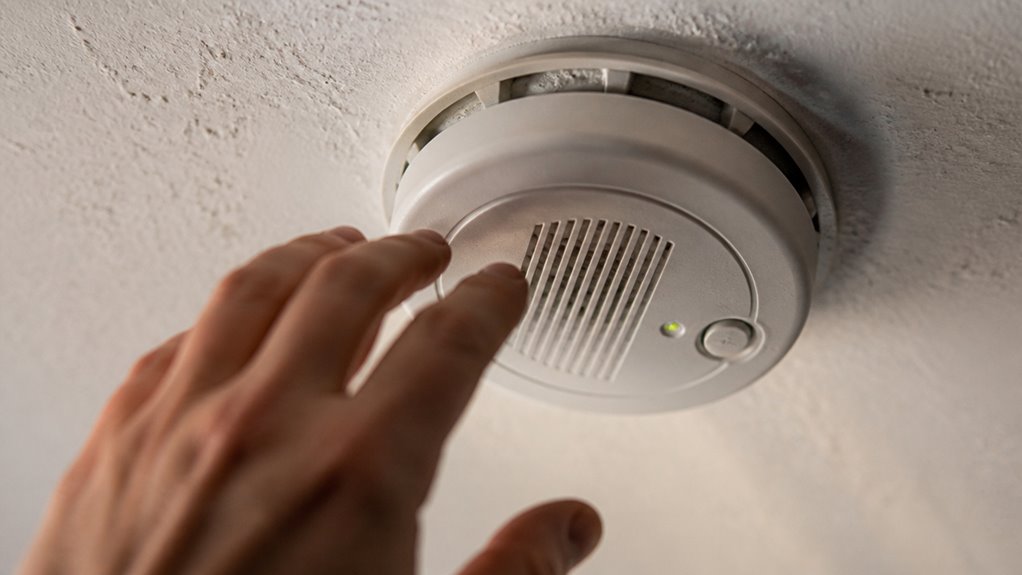

To silence your First Alert smoke alarm, press and hold the Test/Silence button for about five seconds to temporarily mute nuisance alerts like cooking smoke or steam. This silence usually lasts up to 15 minutes while the sensor resets.
For low-battery chirps, remove the battery, hold the Test button for 30 seconds to clear residual charge, then replace the battery. If alarms persist, cleaning or identifying the initiating unit in interconnected systems helps.
You can explore further steps for hardwired models and replacements.
Key Takeaways
- Press and hold the Test/Silence button on the alarm cover for about 5 seconds to temporarily silence nuisance alarms.
- Confirm the cause of the alarm (smoke, steam, or dust) before silencing to avoid ignoring real emergencies.
- For interconnected alarms, silence the initiating unit to mute all connected alarms simultaneously.
- Silence mode typically lasts up to 15 minutes, allowing the sensor to reset and clear false triggers.
- If low-battery chirps occur, replace the battery and press Test to confirm proper operation before silencing.
Identify First Alert Smoke Alarm Sounds
Start by identifying the specific sound your First Alert smoke alarm is making before you attempt to silence it.
A nuisance alarm typically results from cooking smoke, steam, or dust and is temporary.
Nuisance alarms are usually caused by cooking smoke, steam, or dust and will clear quickly.
A low-battery chirp is a periodic beep signaling it’s time to replace the battery.
An end-of-life warning involves repeated chirping, indicating the unit may need full replacement.
For interconnected alarms, one initiating unit triggers multiple alarms, so you must locate the source first.
Importantly, if you hear continuous, urgent alarm signals caused by dense smoke, don’t silence it.
That indicates a real emergency.
Remember that a single chirp every 30–60 seconds usually indicates low battery and requires prompt replacement to ensure proper alarm function.
How to Silence a Nuisance Alarm Using the Test Button?
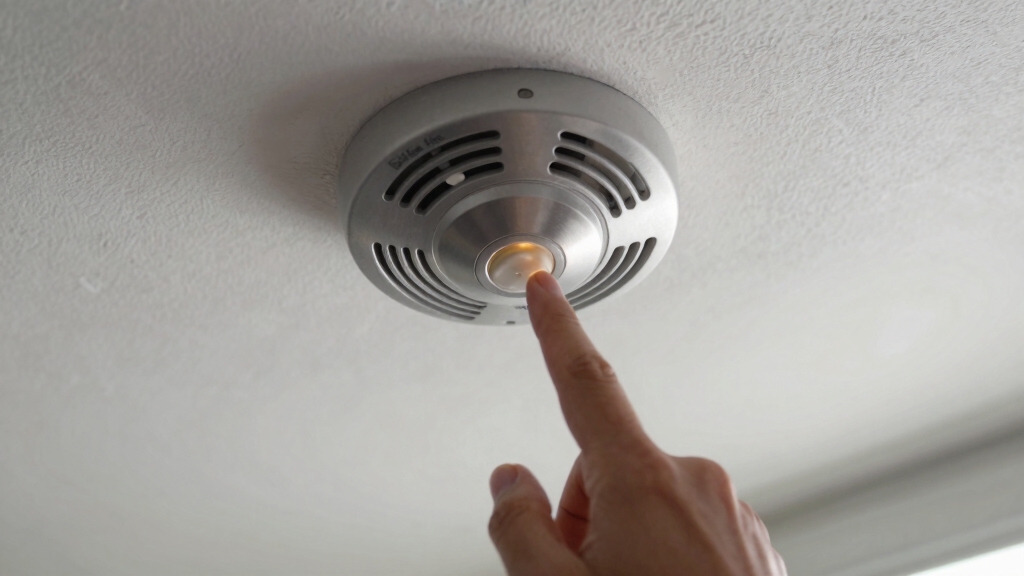
Once you’ve identified that the alarm is a nuisance caused by non-emergency factors like cooking smoke or steam, you can use the Test/Silence button to temporarily quiet it.
Press the Test/Silence button on the alarm cover firmly. Holding it for about 5 seconds can silence the alarm while the sensor resets contamination.
This silence mode typically lasts up to 15 minutes, allowing the smoke or steam to clear. For interconnected systems, make sure you press the button on the initiating alarm to mute all linked units.
Remember, silencing doesn’t disable the alarm; it only reduces sensitivity temporarily. If the alarm reactivates quickly, investigate further or clean the unit.
Use this method only for nuisance alarms, not for actual smoke emergencies.
For ongoing reliability, it is important to perform regular battery replacement and testing to ensure the alarm functions correctly when needed.
Stop Low-Battery Chirps on Your First Alert Alarm
Low-battery chirps frequently signal that your First Alert smoke alarm needs immediate attention to maintain reliable protection.
To stop these chirps, first remove the alarm from its mounting. Open the battery compartment and take out the battery.
Remove the alarm, open the battery compartment, and take out the battery to stop the chirps.
Then, hold the Test button for 30 seconds to clear any residual charge. Reinsert a fresh battery and press Test to confirm the alarm’s proper operation.
Some models allow you to silence the chirp temporarily for up to eight hours, giving you time to replace batteries without immediate stress.
Remember, this chirp is a vital warning of reduced functionality. Ignoring it risks your safety.
If the chirp persists after battery replacement and reset, consider replacing the unit promptly to guarantee continuous protection.
For best results, replace the battery every six months or immediately after a low-battery chirp to ensure reliable operation.
Reset and Clean Your First Alert Alarm After False Triggers
If your First Alert alarm triggers falsely due to dust, steam, or cooking residue, cleaning and resetting the unit can restore proper function.
Start by vacuuming around and inside the alarm’s housing to remove dust and debris that may have entered the sensor.
Next, allow fresh air to circulate around the unit to clear any lingering contaminants.
Press and hold the silence button repeatedly to let the sensor reset and burn off residue.
If the alarm remains active without smoke present, remove it and hold the test button for 30 seconds with the battery out to clear residual charge.
After reinserting the battery, test the alarm to confirm it’s functioning correctly.
Regular cleaning and resetting prevent nuisance alarms and maintain reliable smoke detection.
For best results, understand that photoelectric sensors are designed to detect smoldering fires with precision, so keeping the sensor area clean is crucial for optimal performance.
Silence Hardwired and Interconnected First Alert Alarms
Although hardwired and interconnected First Alert alarms offer enhanced safety through continuous power and system-wide alerts, silencing them requires specific steps to avoid confusion or incomplete muting.
First, identify the initiating alarm triggering the network. Press the Test/Silence button on that unit to temporarily silence all connected alarms.
Before servicing, disconnect power sources by turning off the circuit breaker and removing the battery to prevent shocks.
For low-battery chirps, remove the unit from its mounting, open the battery compartment, and clear residual charge by holding the Test button for 30 seconds with the battery out.
Reinsert the battery, restore power, and test the alarm. If chirping persists after these steps, the unit may be faulty and require replacement to maintain system reliability.
Note that many modern smoke alarms, including some models compatible with First Alert systems, feature real-time push notifications to alert you of smoke or low battery via smartphone, enhancing remote monitoring capabilities.
When to Replace Your First Alert Smoke Alarm?
Recognizing when to replace your First Alert smoke alarm is crucial for maintaining reliable home safety. Typically, these alarms last about 10 years.
After this period, the sensors degrade and may fail to detect smoke accurately. If your alarm emits repeated end-of-life chirps that don’t stop after battery replacement and reset, it’s a clear signal for replacement.
Also, if the alarm won’t silence despite no smoke or contamination, or if it frequently triggers false alarms after thorough cleaning, replacement is necessary.
For interconnected or hardwired units, persistent chirping after troubleshooting indicates a faulty sensor requiring a new unit.
Regularly check the manufacture date stamped on the alarm and replace it promptly to guarantee continuous, dependable protection for your household.
First Alert recommends replacing both smoke and carbon monoxide alarms every 10 years to maintain sensor performance and ensure ongoing safety.
Frequently Asked Questions
Can I Use Any Battery Type for My First Alert Smoke Alarm?
You shouldn’t use just any battery for your First Alert smoke alarm.
Always use the battery type specified in the user manual, usually a 9-volt alkaline or lithium battery, depending on the model.
Using the wrong battery can cause malfunction or false alarms.
Stick to high-quality batteries to guarantee reliable performance and longer life.
Avoid rechargeable batteries unless the manufacturer explicitly approves them for your unit.
How Often Should I Test My First Alert Smoke Alarm?
You should test your First Alert smoke alarm at least once a month to ensure it functions properly.
Press the Test button until you hear the alarm sound, confirming the battery and sensor work.
Regular testing helps you catch issues early and maintain safety.
Also, replace batteries annually or when you hear chirps.
Frequent testing combined with proper maintenance keeps your smoke alarm reliable and ready to protect you.
What Is the Average Lifespan of a First Alert Smoke Alarm?
The average lifespan of a First Alert smoke alarm is about 10 years.
After this, the sensor may become less reliable, and the unit often starts chirping to signal it’s time for replacement.
You should replace your alarm promptly once it reaches this end-of-life stage to guarantee your safety.
Regular testing and maintenance can help you monitor its condition, but don’t ignore the warning chirps indicating it’s time for a new unit.
Are First Alert Alarms Compatible With Smart Home Systems?
You might think First Alert alarms won’t fit into your smart home setup, but many models actually do.
First Alert offers smart smoke alarms compatible with platforms like Alexa and Google Assistant. This lets you receive alerts on your phone and control them remotely.
They integrate well with smart home systems, enhancing safety without added hassle. Just ensure you pick a model labeled “smart” to open these connected features effortlessly.
How Do I Dispose of an Old First Alert Smoke Alarm Safely?
To safely dispose of an old First Alert smoke alarm, first remove the batteries to prevent corrosion or leakage.
Check local regulations, as many areas classify smoke alarms as electronic waste requiring special handling.
Do not throw it in regular trash if prohibited.
Consider recycling programs for electronics or hazardous materials.
If your alarm contains a radioactive element, handle it with care and follow disposal guidelines provided by your local waste authority.
Keep Your First Alert Alarm Quiet and Reliable
To silence your First Alert smoke alarm swiftly, start by spotting sound signals and swiftly using the test button for nuisance alerts.
Stop those stubborn low-battery chirps with timely replacements and keep your alarm clean to prevent false triggers.
For hardwired or interconnected alarms, follow precise procedures to pause persistent beeps.
Remember, regular resets and replacements protect your peace and safety. Stay sharp, stay safe, and silence those sounds smartly.