
You’ll typically pay between $600 and $2,000 for professional security camera installation, depending on factors like the number of cameras, system type, and site conditions.
Labor varies from $80 to $450 per camera, especially higher for wired setups requiring extensive cabling.
Wireless installs tend to cost less due to minimal wiring.
Complex commercial systems or larger camera counts can push costs above $3,500.
Understanding these elements helps you plan an accurate budget and system design that fits your needs.
Key Takeaways
- Professional security camera installation typically costs between $593 and $2,040 for residential setups nationwide.
- Labor rates vary from $80 to $200 per camera, increasing with wiring complexity and site-specific challenges.
- Wireless camera installation generally costs less, around $100–$250 per unit, due to reduced cabling needs.
- Wired systems are more expensive, often $150–$350 per camera, requiring conduit, extensive wiring, and higher labor.
- Large systems with 16+ cameras can exceed $3,500, with labor costs ranging from $2,500 to $5,000 or more.
How Much Does Security Camera Installation Cost?
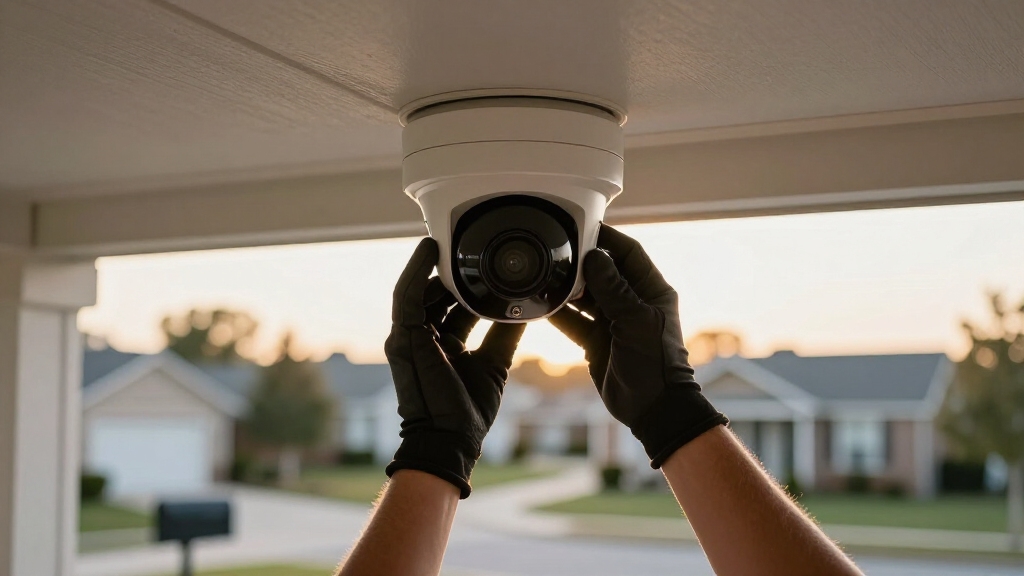
When you’re planning a security camera installation, understanding the cost factors can help you budget accurately.
On average, a professional installation for a typical home setup runs about $1,296 nationwide, with most residential projects falling between $593 and $2,040.
Typical home security camera installations average $1,296, with most projects ranging from $593 to $2,040.
Smaller setups can start as low as $125 to $400, while more complex or commercial systems may exceed $3,500.
Labor typically ranges from $80 to $200 per camera, depending on complexity and installer rates, which often vary between $65 and $150 per hour.
Wireless camera installations tend to cost less due to reduced wiring needs, while wired systems involve higher labor and material expenses.
You’ll find that costs vary widely based on the number of cameras, labor requirements, and equipment chosen.
Additionally, outdoor installations usually require more labor and weatherproofing, which can increase overall costs.
Main Factors Driving Security Camera Installation Costs
Understanding what drives the cost of security camera installation can help you make informed decisions and optimize your budget.
Several key factors influence the total expense:
- Camera Type: Higher resolution or specialized models like 4K cameras cost more to purchase and install.
- Wiring Complexity: Long cable runs, hidden wiring, or conduit installation increase labor and material costs.
- Recording Hardware: Network Video Recorders (NVRs) or Digital Video Recorders (DVRs) add to equipment expenses.
- Site Conditions: Commercial layouts, advanced analytics, and difficult access raise labor requirements.
- Choosing cameras with PoE support can simplify installation and reduce wiring costs by delivering power and data over a single cable.
How Camera Count Changes Security Camera Installation Costs?
When it comes to security camera installations, the number of cameras you choose plays a big role in your total cost. Each camera brings along its own set of expenses, including both equipment and labor.
So, how does that break down? Well, labor rates usually fall between $80 and $200 per camera. This can really impact your overall price, especially if you’re looking to set up a larger system.
And it’s not just about the cameras themselves. More cameras mean more materials, which naturally drives up costs. Plus, larger setups often require more complex installation efforts. So, as your project scales, so does your budget.
It’s important to consider coverage estimates when deciding how many cameras you need, as this directly influences both equipment and installation complexity.
Cost Impact By Quantity
The number of cameras you install directly influences both labor and equipment expenses, making it the most significant factor in your security camera installation cost. Each additional camera adds wiring, mounting, and configuration time, increasing labor hours and material needs. Here’s how quantity impacts costs:
1. Installing 1–2 cameras typically costs between $100 and $300 in labor.
Total expenses vary by system complexity.
2. A 4-camera setup often ranges from $600 to $1,500, balancing basic coverage with moderate installation effort.
3. Systems with 8 cameras usually require $1,200 to $2,500, reflecting increased wiring and network demands.
4. Large-scale installations of 16 or more cameras escalate to $2,500–$5,000 or higher due to extensive labor and equipment integration.
Understanding these thresholds helps you plan your budget effectively. Proper mounting and placement are also crucial to maximizing safety and preventing blind spots, which can influence installation complexity and cost.
Labor Rates Per Camera
When calculating security camera installation costs, labor rates per camera play a crucial role in determining your overall budget.
Typically, professional installers charge between $80 and $200 per camera, depending on system complexity and wiring requirements. For wired IP systems, labor can escalate to $125 to $450 per camera due to conduit and cabling work.
Wireless cameras generally incur lower labor costs, often $100 to $250 per unit, since they require less physical infrastructure. Hourly rates for licensed installers typically range from $65 to $150 per hour, influencing total labor charges based on project duration.
As you increase camera count, per-camera labor costs may decrease slightly due to efficiency. However, the total labor expense rises proportionally, making labor a critical factor in multi-camera security setups.
Complex wiring or network setup may require hiring professionals to ensure safety and code compliance.
Equipment Scale Effects
Installing just a few cameras markedly impacts your total cost. Each additional unit adds both equipment expenses and labor requirements.
You’ll notice per-camera labor often runs between $80 and $200, influencing total installation charges. The scale of your system directly affects costs due to increased wiring, mounting, and configuration time.
Consider these factors:
- Small setups (1-2 cameras): Labor typically costs $100–$300. Total expenses vary by wiring and equipment.
- Medium systems (4-8 cameras): Installation ranges from $600 to $2,500, depending on complexity.
- Large installations (16-32 cameras): Costs escalate to $2,500–$12,000, reflecting commercial-grade demands.
- Wireless vs. wired: Wireless installs save on cabling but may limit scalability and image quality.
Proper planning of cable routes and power needs can significantly influence the overall installation cost and longevity of the system.
Understanding these scale effects helps you budget accurately for your security system.
How Labor and Equipment Impact Installation Costs?
Understanding how labor and equipment contribute to security camera installation costs can help you budget accurately and avoid surprises.
Labor typically accounts for a significant portion, with professional installers charging between $80 and $200 per camera or $65 to $150 per hour.
Professional installers usually charge $80 to $200 per camera or $65 to $150 per hour for labor.
Complex wiring, conduit installation, and mounting demand more labor hours, elevating costs.
Equipment expenses vary based on camera type. Higher-resolution or 4K models cost more upfront and may require specialized installation techniques.
Additionally, recording devices like NVRs or DVRs add to your total investment.
The number of cameras directly influences labor and equipment costs. Each unit requires additional mounting, wiring, and configuration.
Site conditions, such as difficult cable routing or commercial layouts, can further increase labor intensity and equipment needs, pushing your overall installation price higher.
Proper planning of camera placement can also impact installation time and costs by reducing unnecessary adjustments and ensuring efficient coverage.
Wired vs Wireless Security Camera Installation Costs
Although both wired and wireless security camera systems serve the same fundamental purpose, their installation costs differ markedly due to variations in cabling, labor requirements, and hardware complexity.
You’ll typically find wireless installations less expensive since they require minimal cabling and wall access. Wired setups involve conduit, extensive wiring, and more labor.
Consider these cost factors:
- Wireless cameras generally cost $100–$250 each to install.
- Wired cameras often range from $150–$350 each due to complex cabling.
- A four-camera wired system can run $1,200–$2,800 including installation and NVR.
- Labor rates for wired systems may reach $125–$450 per camera, higher than wireless.
Choosing wired or wireless impacts your budget substantially based on installation scope and site conditions. Proper planning of cable routes and protection can also influence the overall installation cost and system longevity.
Budgeting Tips for Home and Business Security Camera Installs
When planning your security camera installation, you’ll want to carefully evaluate factors like camera quantity, system type, and site conditions to create an accurate budget.
Carefully assess camera number, system type, and site conditions to develop an accurate security camera budget.
Start by estimating labor costs, usually $80 to $200 per camera. Consider whether you need wired or wireless systems, as wiring complexity can markedly increase expenses.
For residential setups, expect total costs between $593 and $2,040. Commercial projects with more cameras and advanced features can exceed $3,500.
Use the per-camera labor rate as a budgeting shortcut, but factor in additional hardware like NVRs and potential site-specific challenges such as conduit routing.
Always obtain multiple quotes to account for regional and installer cost variations. This ensures your budget aligns with your security needs and installation complexity.
Additionally, deciding between DIY vs. professional monitoring can significantly impact both upfront and ongoing costs.
Frequently Asked Questions
How Long Does a Typical Security Camera Installation Take?
A typical security camera installation takes between 2 to 6 hours for a standard 4-camera home system.
The duration depends on factors like wiring complexity, camera type, and site conditions.
Wireless setups usually install faster, often within 1 to 3 hours.
Wired systems require more time due to cable routing and mounting.
Larger or commercial installations with many cameras can extend over multiple days, depending on the project’s scale and complexity.
Are There Any Maintenance Costs After Installation?
Yes, you’ll face maintenance costs after installation. Expect expenses for firmware updates, occasional hardware repairs or replacements, and cleaning camera lenses to maintain clear images.
If your system includes cloud storage or monitoring services, ongoing subscription fees apply.
Wired systems might require more upkeep due to cable wear or damage.
Budgeting for these recurring costs helps keep your security system reliable and fully functional over time.
Can I Install Security Cameras Myself to Save Money?
Yes, you can install security cameras yourself to save money, especially with wireless models that require minimal wiring.
However, DIY installation demands technical skills for proper placement, wiring if wired, and system configuration.
Complex setups with multiple cameras or wired infrastructure often benefit from professional installation to guarantee peak coverage and system reliability.
Weigh your confidence and technical ability against potential risks of improper setup before deciding.
Do Security Camera Warranties Cover Installation Issues?
No, security camera warranties typically don’t cover installation issues since they focus on product defects and hardware malfunctions.
Installation problems, like wiring errors or mounting damage, fall outside warranty scope. You’ll need to rely on the installer’s service guarantee or contract for those concerns.
Always confirm the installer’s warranty and support terms before starting, so you’re protected if installation errors occur or system setup needs correction.
How Do Weather Conditions Affect Outdoor Camera Installation?
Weather conditions greatly impact your outdoor camera installation.
Extreme temperatures can affect equipment durability, while moisture from rain or snow requires robust waterproofing and sealed enclosures.
Wind can loosen mounts, so you must use sturdy brackets and anchors.
You’ll also need to take into account sun glare for best camera positioning.
Proper weatherproof ratings (like IP65 or higher) and protective housing guarantee reliable performance and reduce maintenance caused by environmental exposure.
Know What Raises Security Camera Installation Prices
When it comes to security camera installation, you get what you pay for.
By understanding how factors like camera count, labor, equipment, and wired versus wireless options influence costs, you can make informed decisions.
Planning your budget carefully helps avoid unexpected expenses and guarantees your home or business stays protected efficiently.
Investing wisely now will save you time and money in the long run while maximizing security benefits.