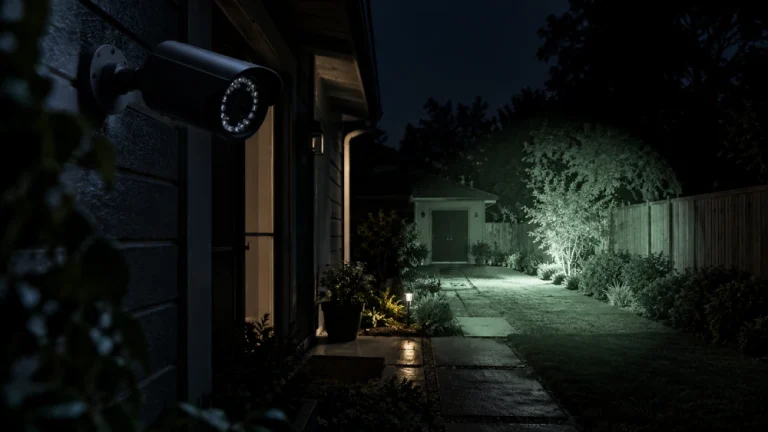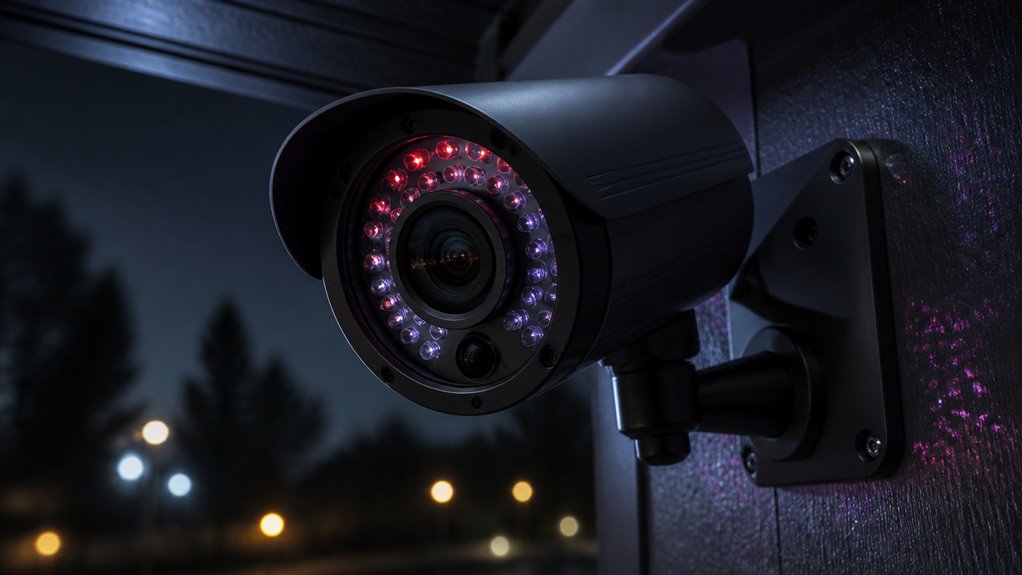

IR mode on your security camera activates infrared illumination to capture clear black-and-white footage in total darkness. When ambient light drops below a set threshold, the camera switches from color to monochrome and removes the IR cut filter.
This allows infrared light to reach the sensor. Invisible IR LEDs flood the area to enhance contrast without visible glare. Adjusting IR mode through your camera’s onscreen menu guarantees peak nighttime performance.
Understanding these features will help you optimize your camera’s night vision capabilities.
Key Takeaways
- IR mode activates infrared LEDs to capture clear black-and-white footage in total darkness or low light conditions.
- The camera switches from color to monochrome by removing the IR cut filter to enhance image clarity at night.
- IR illumination is invisible to the human eye and provides sufficient lighting for monitoring up to several hundred feet.
- IR mode enables continuous surveillance when ambient light falls below a preset threshold, typically near 0.0 lux.
- Users can adjust IR mode settings via the camera’s on-screen day/night menu for tailored low-light performance.
What Is IR Mode on a Security Camera?
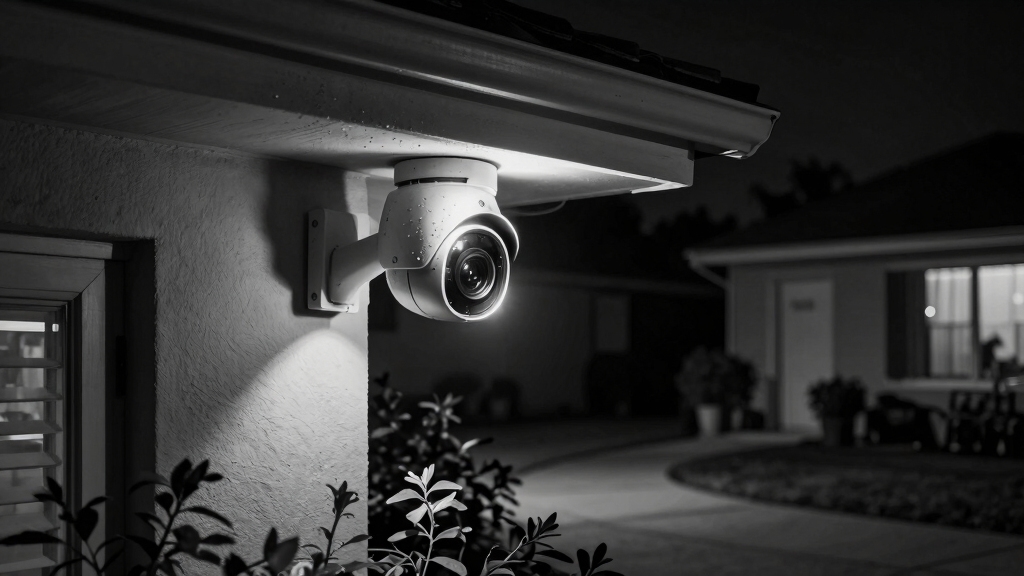
What exactly is IR mode on a security camera?
IR mode activates the camera’s infrared capabilities, enabling it to capture clear footage in total darkness.
Since infrared light is invisible to the human eye, the camera uses IR LEDs to illuminate the area with this light.
Specialized sensors detect the infrared light reflected off objects and convert it into a visible black-and-white image for you.
This mode is vital when ambient light falls below a preset threshold, as it allows continuous monitoring without relying on visible illumination.
To facilitate this, the camera removes its IR cut filter at night, allowing infrared light to reach the sensor.
This technology primarily detects reflected near-infrared light, distinguishing it from thermal imaging cameras that sense emitted heat.
Why Cameras Switch to Black and White at Night?
When the ambient light dips below a certain level, your camera makes a switch to black and white. Why? Well, it’s all about maximizing image clarity and contrast in those darker conditions. This mode helps the sensor adapt much better to low light. Cameras use infrared night vision and wide dynamic range (WDR) capabilities to ensure clear images in low-light environments.
Maximizing Nighttime Image Clarity
Many security cameras switch to black and white mode at night to maximize image clarity in low-light conditions.
When ambient light drops below a preset threshold, the camera disables its IR cut filter, allowing infrared light to reach the sensor.
This switch enhances sensor sensitivity by capturing infrared illumination from built-in IR LEDs, which is invisible to the human eye but detected by the camera.
Color imaging becomes ineffective in darkness due to insufficient visible light, so black and white imaging optimizes contrast and detail by focusing solely on luminance.
This monochromatic mode reduces noise and improves sharpness, enabling the camera to operate effectively at 0.0 lux.
Consequently, you get clearer, more detailed footage in total darkness, which is essential for reliable nighttime security monitoring.
Additionally, 3D digital noise reduction is often employed in IR mode to further reduce graininess and enhance image clarity in challenging lighting conditions.
Enhancing Contrast In Darkness
The shift to black and white mode at night isn’t just about capturing infrared light. It’s primarily driven by the need to enhance contrast in near-total darkness.
When ambient light falls below a certain threshold, your security camera disables color processing and switches to monochrome imaging. This change maximizes the sensor’s sensitivity to light intensity differences, making it easier to distinguish objects.
Color filtering reduces the sensor’s effective light intake, so dropping color improves image clarity by allowing the full range of luminance values to be captured. In black and white mode, the camera processes the infrared light reflected by objects, producing high-contrast images that reveal shapes and details invisible in color mode.
This contrast boost is critical for effective night surveillance and accurate identification. However, weather conditions such as fog and moisture can scatter infrared light and reduce image clarity, so cameras with infrared illumination enhancements and proper housing are recommended for optimal night performance.
Sensor Adaptation To Low-Light
Because low-light conditions drastically reduce the amount of visible light reaching the camera sensor, security cameras switch to black and white mode to optimize image capture.
In low light, the sensor’s sensitivity to color diminishes, so cameras remove the IR cut filter and activate infrared LEDs.
This switch enhances the sensor’s ability to detect luminance without color interference, maximizing contrast and detail.
Black and white imaging improves signal-to-noise ratio, allowing the sensor to capture clearer images in darkness.
The monochromatic mode leverages infrared illumination, invisible to the human eye but detectable by the sensor.
This enables surveillance even at 0.0 lux.
To minimize image degradation caused by glass reflections at night, cameras often use adjustable IR illuminators to optimize infrared light intensity and reduce glare.
How the IR Cut Filter Affects Day and Night Views?
An IR cut filter plays a vital role in maintaining accurate color reproduction during daylight by blocking infrared light from reaching the camera sensor. When ambient light drops, the filter is mechanically removed, allowing IR light to reach the sensor. This enables clear black-and-white night vision. This switch optimizes image quality for both day and night conditions.
| Condition | IR Cut Filter Status | Image Output | Purpose |
|---|---|---|---|
| Daylight | Engaged | Full color | Blocks IR, prevents color distortion |
| Dusk/Dawn | Transitioning | Mixed color/b&w | Prepares sensor for low light |
| Night (Low Lux) | Disengaged | Black and white | Allows IR to enhance visibility |
| Complete Dark | Disengaged | Black and white | Maximizes IR sensitivity |
You’ll notice this mechanism ensures optimal sensor function across lighting conditions. Many turret cameras use this IR cut filter technology paired with reduced IR glare to improve low-light image quality.
How IR LEDs Illuminate Areas in Complete Darkness?
IR LEDs flood dark environments with invisible infrared light, allowing your security camera to capture detailed footage even in complete darkness.
IR LEDs illuminate darkness invisibly, enabling your security camera to record clear, detailed footage at night.
These LEDs emit infrared wavelengths that your camera’s sensor detects but your eyes can’t see. When visible light drops below a set threshold, the camera activates the IR LEDs automatically.
This illuminates the scene without producing any visible glare. The camera’s sensor, free from the IR cut filter at night, absorbs the infrared light and converts it into a black-and-white image.
Arrays of IR LEDs guarantee sufficient illumination over a wide area, maintaining image clarity and contrast. This mechanism lets your camera provide continuous surveillance and detailed imagery even where no visible light exists.
This makes IR LEDs essential for effective night vision security. However, note that night vision using black-and-white IR typically results in grainy/blurry images with no color in low-light conditions.
Measuring IR Mode Performance: Lux and Viewing Range
When it comes to evaluating IR mode performance, the lux ratings are key. These ratings tell you the minimum light level that the camera can detect. So, if you’re in a very low-light situation, these numbers really matter.
Now, let’s talk about IR viewing distance. This depends on the number and strength of the IR LEDs in the camera. Essentially, the more powerful and plentiful the LEDs, the farther the camera can see, even in total darkness.
However, factors such as sensor size and environmental conditions can significantly affect the actual IR performance and image clarity.
Understanding Lux Ratings
Performance measurement plays a crucial role in evaluating how well security cameras operate in low-light conditions. Lux ratings quantify the minimum light level a camera needs to produce clear images.
Lower lux values mean better low-light sensitivity. For IR mode, cameras typically function at 0.0 lux, relying solely on infrared illumination.
| Lux Value | Performance Description |
|---|---|
| 0.0 | Full IR mode, no visible light |
| 0.003 | Excellent low-light clarity |
| 0.02 | Good, minimal ambient light |
| 0.1 | Moderate low-light capability |
| 0.2 | Basic low-light performance |
You should use lux ratings to compare cameras’ IR mode effectiveness. This ensures the chosen model meets your surveillance needs in near-total darkness. Additionally, selecting cameras with night vision capabilities is essential for reliable visibility and detail recognition in low-light conditions.
IR Viewing Distance
Understanding lux ratings helps you gauge how well a security camera functions in low-light conditions, but evaluating IR viewing distance completes the picture of night vision performance.
IR viewing distance refers to the maximum range at which your camera’s infrared LEDs illuminate scenes effectively in total darkness. This range depends primarily on the number and power of IR LEDs, as well as the camera sensor’s sensitivity to infrared light.
Typical residential cameras offer IR viewing distances between 98 and 328 feet. Beyond this range, image clarity and detail degrade due to insufficient IR illumination.
When evaluating IR mode performance, consider both the lux rating and IR viewing distance to ensure your camera meets your surveillance needs, especially in environments with no ambient light. Optimizing camera settings for energy efficiency can also help extend battery life when using IR mode in remote or off-grid locations, making energy-efficient camera settings a key factor in sustained operation.
LED Impact on Range
Consider how the number and arrangement of infrared LEDs directly influence your security camera’s effective IR viewing range. More LEDs typically extend the IR illumination distance, enabling the camera to capture clear images further in total darkness.
The LEDs’ placement also affects uniform coverage and reduces dark spots in the field of view. Performance is often measured in lux, with lower lux values indicating improved night vision sensitivity.
Cameras operating at 0.0 lux with well-distributed LED arrays can achieve viewing distances from 98 to 328 feet. However, excessive LED power can cause overexposure near the camera, reducing image detail.
Balancing LED quantity, power, and arrangement guarantees optimal IR illumination, maximizing your camera’s low-light performance and effective surveillance range.
Visual Changes When IR Mode Activates: Monochrome and Contrast
How does a security camera’s image transform once IR mode activates? When ambient light falls below a preset threshold, the camera switches from color to monochrome imaging.
This shift removes the IR cut filter, allowing infrared light to hit the sensor. As a result, the video output immediately shifts to black-and-white, enhancing contrast and detail in complete darkness.
The monochromatic image improves clarity by maximizing differences between objects and backgrounds, which color mode can’t achieve under low light. Sharpness depends on the IR LED illumination; sufficient IR lighting ensures well-defined outlines and textures.
This black-and-white display is essential since IR light is invisible to humans but captured by the sensor. It enables reliable surveillance when visible light is absent.
How Dual LED and Hybrid Modes Improve Night Vision?
You know, dual LED systems are pretty fascinating! They combine both infrared and white light LEDs to really boost night vision performance. It’s like having the best of both worlds.
Now, let’s talk about hybrid mode. This clever feature keeps the infrared illumination active until it detects motion. Once that happens, the white LEDs kick in, giving you a clearer view with visible light. It’s a game changer for nighttime visibility, right?
You get more detailed and informative footage, even in low-light situations. So, whether you’re out on a nighttime adventure or just checking your surroundings, this setup really makes a difference.
Dual LED Functionality
Enhance your night vision capabilities by leveraging dual LED technology, which combines infrared (IR) LEDs with white light LEDs to deliver superior surveillance performance. This integration allows your security camera to operate effectively in complete darkness while providing more versatile illumination options.
The IR LEDs emit invisible light for black-and-white night vision, ensuring clear images without alerting intruders. Meanwhile, white light LEDs offer visible illumination that can deter trespassers and enhance image detail when needed.
Key benefits include:
- Extended visibility: IR LEDs cover long distances in total darkness.
- Enhanced detail: White LEDs improve image clarity and color at night.
- Flexible operation: Dual LEDs support multiple modes adapting to varied lighting conditions.
Using dual LED functionality, you optimize security camera performance during nighttime surveillance.
Hybrid Mode Operation
Building on the advantages of dual LED technology, hybrid mode operation further refines night vision by intelligently combining infrared and white light LEDs based on real-time conditions.
You’ll notice the camera stays in IR mode for general darkness, providing clear black-and-white footage without visible light interference.
When the camera detects motion or an object of interest, it automatically activates the white light LEDs.
This shift enhances image detail by adding visible illumination while maintaining night vision capabilities.
Hybrid mode optimizes power consumption by limiting white LED use to necessary moments and improves security through both covert IR surveillance and sudden visible lighting.
You can rely on this mode for balanced night vision performance, ensuring clear footage in low light while adapting dynamically to environmental changes.
Enhanced Night Illumination
Leveraging dual LED technology and hybrid modes markedly improves night vision by providing adaptable illumination tailored to varying low-light scenarios.
You benefit from enhanced clarity and object recognition through the combination of infrared and white light LEDs.
Hybrid mode keeps the camera in IR night vision for stealth but switches on white LEDs upon motion detection, illuminating the scene in color for better identification.
Key advantages include:
- Extended visibility range by activating white LEDs only when needed, conserving power.
- Improved image detail with color illumination during critical events.
- Reduced false alarms via adaptive lighting responding to environmental changes.
How to Adjust IR Mode Settings Using the Onscreen Menu?
When you want to optimize your camera’s night vision performance, accessing the onscreen display menu via the PTZ icon lets you precisely adjust the IR mode settings.
Navigate to the day/night settings where you can select between color, black and white (B/W), or EXT modes. Choosing B/W mode keeps the IR LEDs active continuously, maximizing infrared illumination.
Select day/night settings to choose color, black and white, or EXT modes for optimal IR LED performance.
EXT mode enables automatic switching between color in daylight and IR mode in darkness. Use the navigation buttons to highlight your preferred setting, then press the center button to save changes.
After adjusting, exit the menu to apply the configuration. This direct control guarantees your camera responds accurately to ambient light changes, maintaining peak image clarity and contrast during nighttime monitoring.
How to Choose the Right IR Mode for Your Security Needs?
How do you determine the best IR mode for your specific security environment? Start by evaluating your lighting conditions and security priorities.
If you need continuous night vision without visible light disturbance, choose the B/W mode to keep IR LEDs active constantly.
For environments demanding color footage during low light or triggered illumination, hybrid or EXT modes offer a balance of IR and white light LEDs.
Also, consider the camera’s lux rating and IR LED range to match your area’s size and darkness level.
Evaluate ambient light to decide between full IR or hybrid modes.
Match IR LED range with the monitored space’s size.
Prioritize color night vision if identifying details outweigh stealth needs.
Choosing the right mode optimizes clarity and security effectiveness.
Tips for Maximizing Your Camera’s IR Night Vision
After selecting the appropriate IR mode for your environment, optimizing your camera’s IR night vision guarantees you get the clearest footage possible in total darkness.
Position your camera to minimize IR reflection from nearby surfaces, which can cause glare and reduce image quality. Regularly clean the IR LEDs and lens to maintain peak IR light transmission.
Adjust the IR sensitivity and threshold settings via the camera’s OSD menu to suit ambient conditions.
| Tip | Effect |
|---|---|
| Avoid reflective surfaces | Prevents IR glare and distortion |
| Clean lens & LEDs | Maintains IR light clarity |
| Adjust sensitivity | Enhances image contrast |
Frequently Asked Questions
Can IR Mode Cause Eye IRritation to Pets or Humans?
IR mode on security cameras typically uses infrared LEDs that emit light invisible to humans and pets, so it generally doesn’t cause eye irritation.
However, if you’re close to powerful IR LED arrays, prolonged exposure might cause mild discomfort, especially in pets sensitive to light.
It’s best to avoid staring directly into active IR LEDs.
Do IR LEDS Affect Battery Life in Wireless Cameras?
Think of IR LEDs like a flashlight on your wireless camera. Turning it on draws extra power.
Yes, IR LEDs do affect battery life because they consume additional energy when activated in low-light conditions.
For example, a wireless camera running at 0.003 lux with active IR LEDs might use up to 15-20% more battery during nighttime monitoring.
How Does Weather Impact IR Night Vision Effectiveness?
Weather like rain, fog, or snow scatters and absorbs infrared light, reducing your IR night vision’s range and clarity.
Moisture droplets cause IR reflection, creating glare or washed-out images. Dust and heavy humidity also degrade IR effectiveness by diffusing the LEDs’ infrared beams.
To maintain clear footage, you might need cameras with stronger IR LED arrays or additional lighting in harsh weather conditions.
Regular lens cleaning also helps preserve image quality.
Are There Health Risks Associated With Prolonged IR Exposure?
You don’t face health risks from prolonged exposure to IR light used in security cameras.
These cameras emit low-level infrared radiation, which is non-ionizing and safe for humans.
The intensity is far below harmful thresholds, so it won’t damage your eyes or skin.
However, avoid staring directly into powerful IR LEDs for extended periods.
Intense infrared light could cause minor discomfort but not lasting harm.
Can IR Mode Work Through Glass or Windows?
IR mode generally doesn’t work well through glass because infrared light reflects off glass surfaces, preventing the IR LEDs’ illumination from reaching outside effectively.
When you place a security camera behind a window, the IR light bounces back, causing glare and reducing image clarity.
To get proper night vision, you should mount the camera outdoors or use specialized IR-transparent glass designed for this purpose.
Otherwise, IR mode’s effectiveness is markedly compromised.
Use IR Mode to Improve Night Security
Now that you understand IR mode’s role in enhancing night vision, you’re better equipped to optimize your security camera’s performance.
Why settle for unclear footage when adjusting IR settings or choosing the right mode can make a huge difference?
By mastering IR cut filters, LED types, and lux levels, you guarantee clear, reliable surveillance regardless of lighting conditions.
Take control of your camera’s night vision to keep your property secure around the clock.