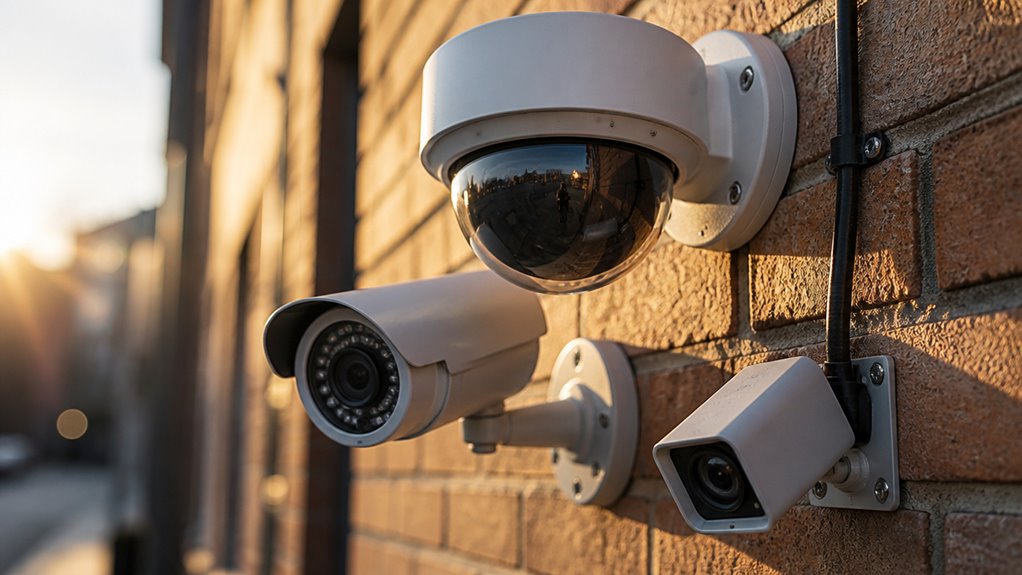

You can get free cloud storage with cameras like Blink, which offers up to a year of clips. Wyze provides 14 days of rolling storage but limits clip length.
Others like ADT and Canary only store footage for a few hours or a day. Many free tiers restrict continuous video, relying on motion-triggered clips or snapshots.
Hybrid systems with local storage often overcome these limits. Exploring specific models reveals how storage durations and features vary widely.
Key Takeaways
- Blink offers up to one year of free cloud storage for video clips without requiring a subscription.
- Wyze provides a 14-day rolling free cloud storage for existing users, with 12-second event clip limits.
- Netgear Arlo includes a seven-day rolling window of free cloud storage for motion-triggered recordings.
- Google Nest Cam offers three hours of free snapshot storage, but full video access requires a subscription.
- ADT grants a three-hour free cloud recording window as part of its basic service tier.
Understanding Free Cloud Storage for Security Cameras
While free cloud storage for security cameras can seem straightforward, understanding its limitations and features is essential before relying on it for surveillance needs.
Free plans typically impose strict time or capacity limits, such as a few hours to several days of footage retention. This can affect incident review capabilities.
Many providers restrict event clip length or store only snapshots instead of continuous video. Additionally, some cameras pair free cloud options with local storage via microSD cards or USB drives to offset constraints.
You must evaluate the trade-offs between free cloud convenience and potential gaps in coverage or accessibility. Recognizing these technical boundaries will help you select a security system that meets your surveillance requirements without unexpected loss of critical video evidence.
It is important to note that cameras lacking internal storage depend entirely on secure Wi‑Fi connectivity to prevent footage loss during outages or cloud disruptions.
Best Cameras With Long Free Cloud Storage Periods
If you’re on the hunt for a camera with generous free cloud storage, you’ll definitely want to check out options like Blink and the aosu Solar 4-Cam Kit. They offer some of the longest free storage periods, giving you access to footage for several months or even up to 60 days!
When you compare these durations, it really helps you see the advantages of choosing one of these cameras over others that have stricter limits. For example, ADT has a pretty tight three-hour window, and Nest only gives you access to snapshots.
Blink also provides budget-friendly cloud storage plans that are competitively priced, making it a great option for renters or DIY installers.
Cameras With Extended Storage
Security-camera users seeking extended free cloud storage will find several standout options that balance duration and accessibility without demanding subscriptions.
Blink offers up to one year of free cloud retention, ideal for long-term archival without fees.
The aosu Solar 4-Cam Kit provides an impressive 60-day rolling cloud loop, leveraging its hub for continuous backup.
Verkada delivers 30 days of free cloud storage on most models, suitable for enterprise-grade monitoring.
Wyze maintains a 14-day rolling cloud for existing customers, though this is no longer available to new users.
ADT’s free tier includes three hours of cloud recording, sufficient for short-term incident review but limited for extended surveillance.
These options provide a spectrum of solutions depending on your storage duration needs and device compatibility.
Note that Wyze cameras also support local microSD storage for continuous recording without subscription fees, offering an alternative to cloud storage.
Duration Comparison Overview
Comparing free cloud storage durations reveals notable variations across top security camera brands, affecting how long you can access recorded footage without additional costs.
Blink leads with up to one year of free cloud retention, offering exceptional long-term access. Following closely, the aosu Solar 4-Cam Kit provides a 60-day rolling cloud loop.
Verkada delivers 30 days of free cloud backup for most models. Wyze maintains a 14-day free rolling storage for existing customers, although this is no longer extended to new users.
ADT and Google Nest Cam offer much shorter durations, with three hours and three hours of snapshot storage respectively, limiting free access markedly.
When choosing, consider these disparities carefully, as they directly impact your ability to review past events without incurring subscription fees. However, some security cameras provide local storage options that eliminate the need for cloud subscriptions altogether.
Notable Free Storage Limits
Although several security cameras boast extended free cloud storage periods, each comes with specific limitations that can impact your ability to access and review footage seamlessly.
For example, Blink offers up to one year of free storage but caps total HD footage at two hours, which may fragment your review process.
Wyze provides 14 days of rolling storage for existing users but restricts event clips to 12 seconds on the free tier, limiting detailed analysis.
ADT’s three-hour free cloud storage offers minimal retention without subscription, while Verkada’s 30-day backup excludes certain models, narrowing coverage.
Additionally, MISECU’s three-day loop extends over two years without fees but limits review scope.
Understanding these constraints helps you select a camera that balances storage duration with practical usability.
It is also important to consider the app connectivity and reliability issues reported by some cameras, which can affect remote monitoring and timely access to stored footage.
Cameras That Offer Only Limited Free Cloud Storage
Explore options like Google Nest Cam, Honeywell, Netgear Arlo, Canary, and MISECU if you need cameras with limited free cloud storage.
Google Nest Cam retains only three hours of snapshot footage, requiring a paid plan for full video access.
Google Nest Cam offers just three hours of snapshot storage; full video requires a subscription plan.
Honeywell typically offers up to seven days of cloud storage but limits capacity depending on the model.
Netgear Arlo provides a rolling seven-day window for motion-triggered recordings, suitable for short-term monitoring.
Canary restricts free storage to 24 hours, emphasizing immediate event review rather than archival.
MISECU delivers a three-day continuous loop cloud storage for two years without subscription, a rare exception.
While these cloud storage options prioritize cost control and brief retention, users should consider the importance of consistent performance and reliability in their security setups.
Common Feature Limits in Free Cloud Storage Plans for Cameras
When you rely on free cloud storage plans for security cameras, you’ll encounter several feature limitations that affect how much footage you can store and access.
Most free tiers restrict storage duration markedly. ADT caps it at three hours, Blink limits to two hours total regardless of time span, and Canary offers only 24 hours of motion-triggered video.
Clip length is often constrained too. For example, Wyze Cam Plus Light permits just 12-second event clips on its free tier.
Additionally, some services like Nest provide only snapshot images instead of full video clips without a subscription.
These limits mean you must carefully assess your monitoring needs. Free plans typically balance minimal storage capacity, reduced video quality, and limited event retention, which may impact timely incident review and evidence gathering.
For enhanced security and uninterrupted monitoring, some systems offer cellular backup to maintain connectivity and alert delivery even during internet outages.
Hybrid Cloud and Local Storage Options for Security Cameras
Facing strict limits on free cloud storage can restrict your ability to retain continuous video footage and review events thoroughly.
Hybrid storage options combine cloud and local recording, allowing you to maximize footage retention without subscription fees.
Cameras like Wyze and eufyCam support microSD or home base storage, while Arlo’s base stations accept USB drives for local backups.
This dual approach enhances data security and accessibility since footage is stored both remotely and onsite.
Eufy’s system utilizes local AI processing that stores and analyzes footage on-device, reducing cloud reliance and enhancing privacy.
| Brand | Local Storage Feature |
|---|---|
| Wyze | microSD card slot for direct camera recording |
| eufyCam | Home base unit with local storage |
| Arlo | USB drive support on base station |
Hybrid storage optimizes video retention flexibility, bypassing strict cloud limits.
Affordable Cameras That Include Free Cloud Storage
Several budget-friendly security cameras provide free cloud storage options, making them attractive for cost-conscious users seeking reliable surveillance solutions.
For instance, Wyze Cam, priced around $26, offers 14 days of rolling cloud storage for existing customers, though this plan is no longer available to new users.
ADT’s cameras start at $30 and include three hours of free cloud recording, sufficient for short-term monitoring.
Smart Cloud Cam delivers 24 hours of motion-triggered clips without additional fees.
Blink stands out by retaining video clips for up to one year without a subscription.
While Ring Indoor Cam offers basic alerts free, it lacks video storage by default.
These affordable options balance cost and cloud storage duration, enabling you to select a solution tailored to your surveillance needs without incurring recurring fees.
Note that some providers like Spectrum have discontinued their proprietary security camera services, causing devices to become inoperable due to network dependencies.
Frequently Asked Questions
How Secure Is Free Cloud Storage Compared to Paid Plans?
Free cloud storage usually offers basic encryption and access controls.
However, paid plans often provide stronger security measures like end-to-end encryption, multi-factor authentication, and faster patch updates.
You should know free tiers might expose your footage to higher risks due to limited security investments.
If you handle sensitive footage, paid plans reduce vulnerabilities through enhanced monitoring and compliance standards.
This makes them markedly more secure than free offerings.
Can Free Cloud Storage Be Shared With Multiple Users?
Think of free cloud storage as a shared lighthouse beam, visible to those you invite but limited in reach.
Yes, you can share access with multiple users, but platforms vary.
Some let you add users with view-only rights, while others restrict sharing to a single account. Check each camera’s app settings and permissions carefully.
Free plans often limit simultaneous streams or user roles, so sharing functionality may be constrained compared to paid tiers.
What Happens to My Footage if the Free Cloud Service Ends?
If your free cloud service ends, your footage typically becomes inaccessible or is deleted after a grace period. You won’t be able to review or download stored videos unless you upgrade to a paid plan or export clips beforehand.
Some providers may retain minimal snapshots, but full recordings usually vanish. To avoid data loss, make sure you back up critical footage locally or move to a subscription before the free storage expires.
Are There Any Data Privacy Concerns With Free Cloud Storage?
Free cloud storage can be a double-edged sword, like a wolf in sheep’s clothing.
You should know that your data might be exposed to breaches or unauthorized access since free plans often lack robust encryption or strict privacy policies.
Companies may also analyze your footage for advertising or share it with third parties.
Always review the provider’s privacy terms and consider local laws to guarantee your footage stays secure and private.
How Do Free Cloud Storage Services Handle Video Quality and Resolution?
Free cloud storage services often limit video quality and resolution to reduce bandwidth and storage costs.
You’ll find plans capping HD footage duration or restricting clips to 12 seconds, like Wyze Cam Plus Light.
Some only store snapshots instead of full videos, as Nest does.
These constraints balance usability and cost but may impact your ability to review detailed footage during security events.
Consider local storage options for full-quality recordings.
Choose Free Cloud Storage Without Losing Key Features
Choosing security cameras with free cloud storage is like finding a reliable lighthouse in a sea of options. It guides you to protection without hidden costs.
You’ll want to weigh storage duration, feature limits, and hybrid capabilities carefully. While some cameras offer generous free plans, others restrict usage, so analyze your needs precisely.
By balancing affordability and technical specs, you can secure your space efficiently. This ensures your footage is safe and accessible without breaking the bank.